ARIS 2.0 · VITE · REACT 19 · THREE.JS · NODE 22
My Workflow
I run my day from ARIS 2.0, a local app I built. Every tool is a building in a small 3D city. The more I use an app, the taller its building grows.
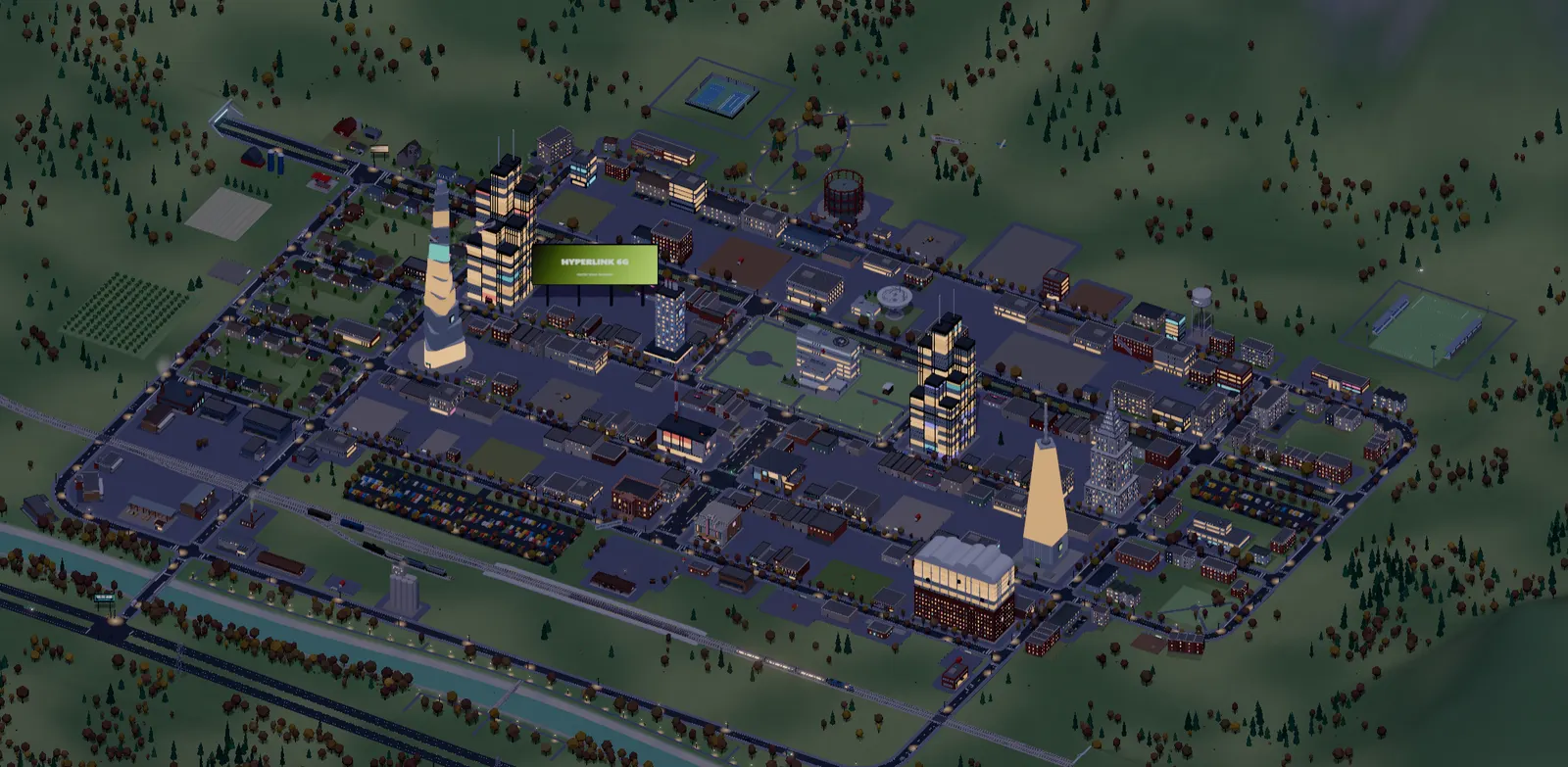
The city has 119 plots, 25 of them kept for apps. Each building is styled from its app’s name. It grows through five levels at 5, 20, 60 and 150 opens. An app still being built shows a crane.
Hover a building and its neon sign lights up. Click it and a card grows into the app’s tab in 280 ms. Billboards show the time and what is coming next. It holds 60 fps at about 300 draw calls and starts in about 1.8 s.
| APP | WHAT IT DOES |
|---|---|
| Calendar & Tasks | The week, the deadlines, and coursework pulled from Canvas |
| Inbox | Flagged mail sorted by lane, with drafts that never send on their own |
| News | A daily digest, one story at a time, the source one click away |
| Study | Practice tests in the real exam format, written recall over my notes |
| Projects | Work with no deadline: someday, active, parked, done |
| Careers | Internship postings that fit, and the applications I send |
| Lookout | Say what to watch: mail, calendar or a page. It alerts when it happens |
| YouTube Watcher | Paste a link and one video plays here, nothing else |
| Music | My own songs, with mixes that say why |
| Architects | Describe a building, check it against the city's rules, add it |
| Clients | Prospects and clients for my website business |
| System | History, jobs, health and logs: how ARIS works, laid open |
| Trash | A receipt for every delete, and restore puts it back |
- 01Refresh everything: one button files my notes into my Obsidian vault, writes the news digest and sorts my mail.
- 02Read the news, one story at a time.
- 03Clear the inbox. Replies are drafts. I read each one before it goes.
- 04Check the calendar and coursework, then a practice test in Study.
- 05Lookout watches what I asked it to. Careers scans for internships.
- 06Build: “Open in terminal” hands a task to Claude, which works in its own copy of the code.
I decide what to build. Claude writes most of the code, each task in its own git worktree, so the copy the app runs from is never touched. Every change goes through a pull request: read the whole diff, run the tests, type check and build, then merge and deploy.
This site is built the same way. So is the UTD 3D campus map, which started as a hidden app in the city.
The little figure walking along the bottom of this page is Desktop Mini, a Claude-style desk pet I built as an Electron app. Here it is redrawn in SVG and moves with your scroll, in plain CSS.